 ClerkBrain
Stop chasing invoices across email threads and spreadsheets
Late payments, scope disputes, and invoices that look unprofessional thrown together in a spreadsheet — a lot of freelance admin pain starts with documents nobody can find when they need them. ClerkBrain reads and organizes yours automatically, on your own PC.
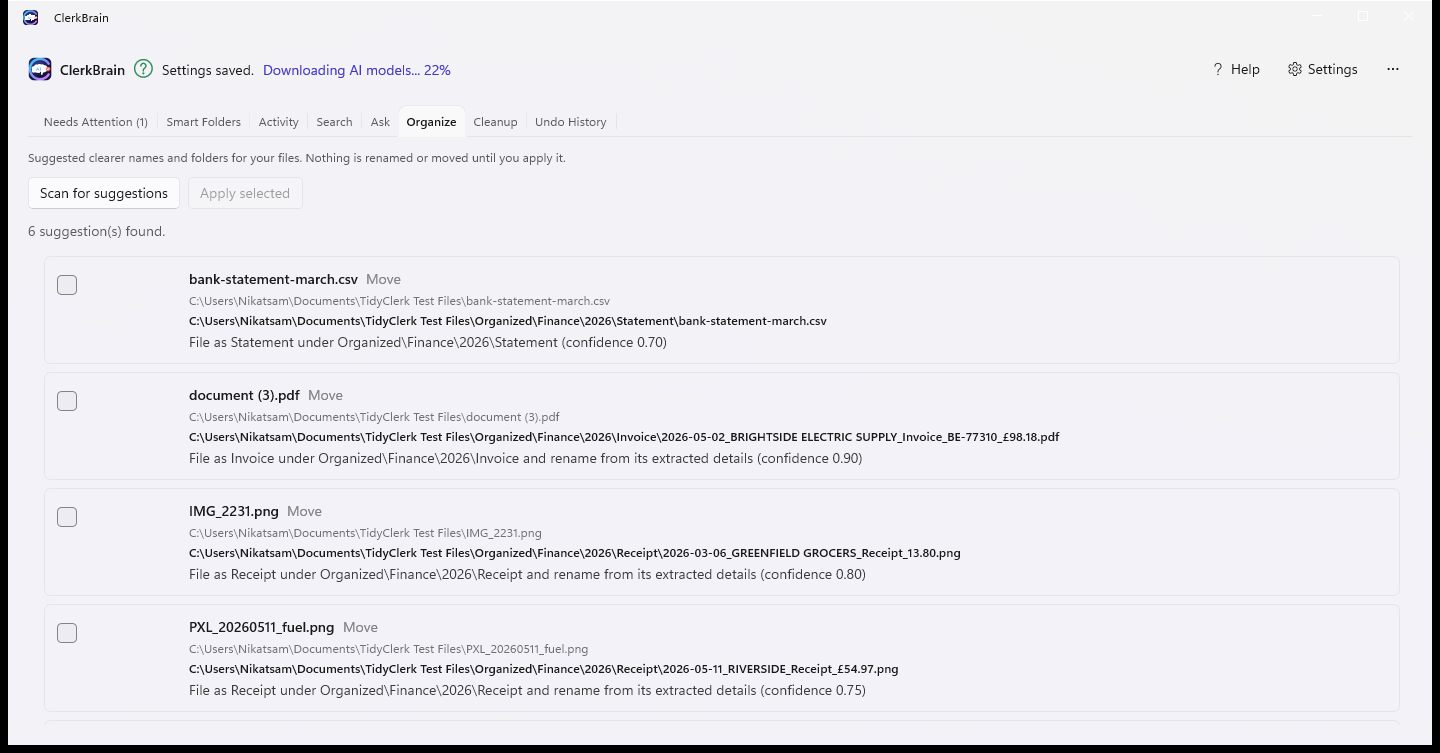
Supplier, date, total — pulled for you
Every invoice and receipt you download gets read and its key details extracted, so you're not retyping numbers from a PDF into a spreadsheet.
2026-03-12_Acme_Invoice_£312.00.pdf
Year-first naming sorts chronologically by filename alone — the exact pattern freelancers ask for in forum threads about bulk-renaming invoices.
One export, one tax year
Gather every receipt and invoice from a date range into a single local export with totals included — ready to hand to your accountant.
Common questions
What's the best way to track invoices and receipts as a freelancer without a subscription?
ClerkBrain reads the invoices and receipts already sitting in your Downloads folder, extracts supplier, date and total automatically, and keeps them organized and searchable on your own PC, with no subscription or cloud account required.
Can I send my accountant a year's worth of receipts without uploading them anywhere?
Yes. ClerkBrain can gather every receipt and invoice from a chosen date range into a single local export with the extracted totals and dates included, which you then hand over however you normally would — nothing passes through a third-party server during the process.
Is it risky to use an AI tool to read my financial documents?
The risk with most AI tools is that your documents get uploaded to read them. ClerkBrain's AI runs on your own PC, so your invoices and receipts are never sent anywhere to be processed. See the privacy policy for the full detail.
Launching on the Microsoft Store soon
Check back for the live Store link.
⊞ Coming soon to the Microsoft Store